
My Allianz Standard Client and Standard Broker Quick Guide

My Allianz, first launched in 2024, is evolving into your online destination for accessing all the Allianz tools you need in one place. 

The next exciting step in this journey is the launch of the Allianz Motor Insurance Database (MID) portal. Over the next three years, My Allianz will continue to grow, introducing new features and functionality designed to make your digital experience easier, more secure, and to help you navigate the breadth of what Allianz has to offer. 

Our new MID platform has a friendlier user interface and provides an additional layer of security. This allows you to navigate the tool in an easier and more secure way, protecting your customers’ data.

Access to all policies will be based on user permissions, which will be given to each My Allianz user depending on their account role: Standard user or Admin user.
 

Our team are here to help you Monday - Friday during office hours. 

Your organisation has been assigned My Allianz administrators who will create and manage your My Allianz account. They will also be able to help you if your information needs to be updated.

As part of your account creation, your account administrator will send you an invitation to complete the registration to finish the setup of your My Allianz account.

The first step on your journey starts with an email. You have four days to register on My Allianz after the email arrives. 

Click on Complete Registration.

To complete your registration, we need to do a quick security check to make sure it’s you.

To do this we'll:

1. Ask you to confirm your phone number and/or email address.

2. Send a verification code to your phone or email address.

3. Ask you to enter the verification code into our website when prompted.

4. Ask you to set your My Allianz password.

Once you have registered you will be able to access My Allianz through my.allianz.co.uk

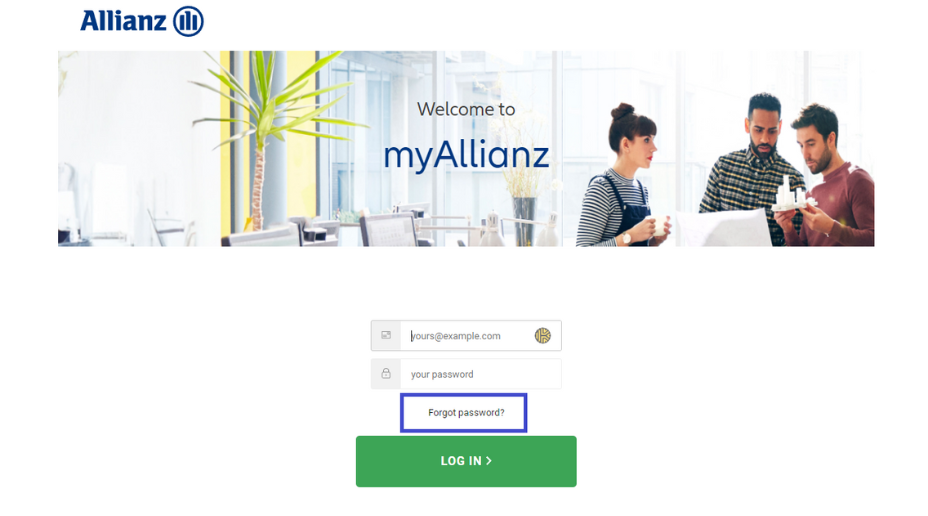
We all forget our passwords from time to time; your My Allianz password is simple to reset.

  1. Go to the log in page https://my.allianz.co.uk
  2. Click Forgot password?  It will send you an email with a link to reset your password. 
Screenshot from MyAllianz of password reset

Visit my.allianz.co.uk and enter your email and password to log in to My Allianz.

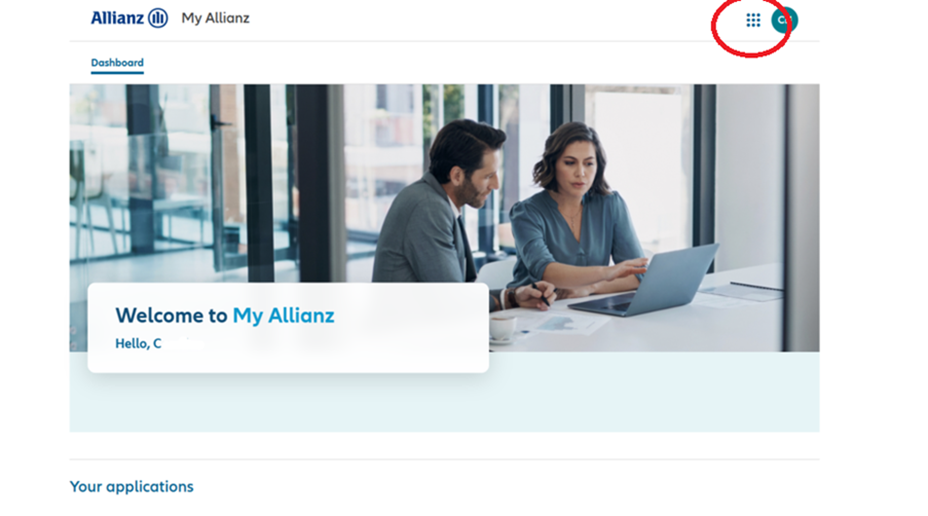
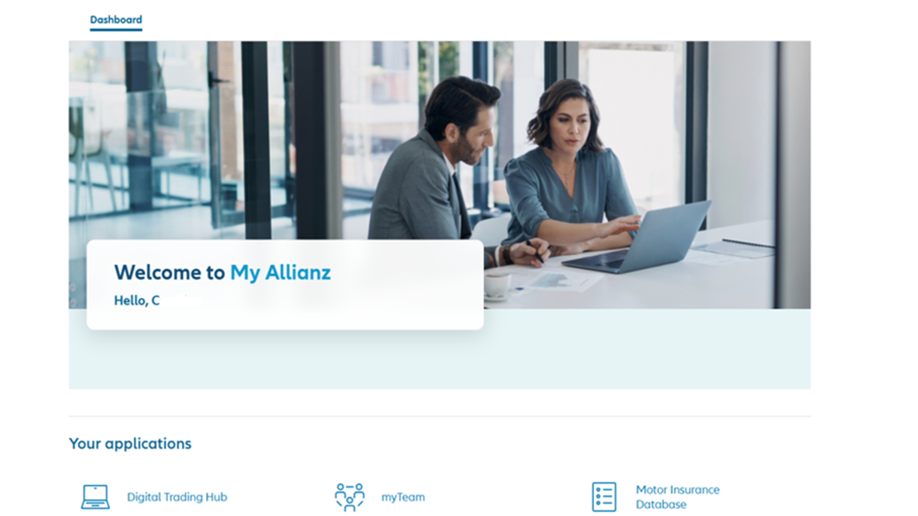
When you log in to My Allianz the first screen will be the dashboard.


Screenshot from myAllianz of nine dots

You can always navigate back there by clicking on the Allianz logo or by selecting the nine dots in the top right-hand corner of the page.

Screenshot from myAllianz of nine dots

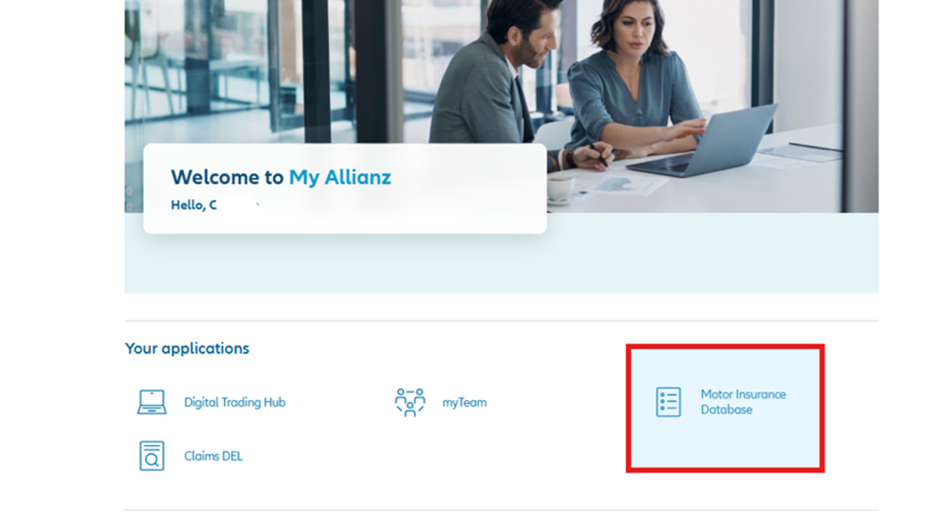
From your Dashboard, locate the Motor Insurance Database icon and click into this. You’ll be taken through to the Allianz MID.

Screenshot from myAllianz standard user opening the nine dot icon

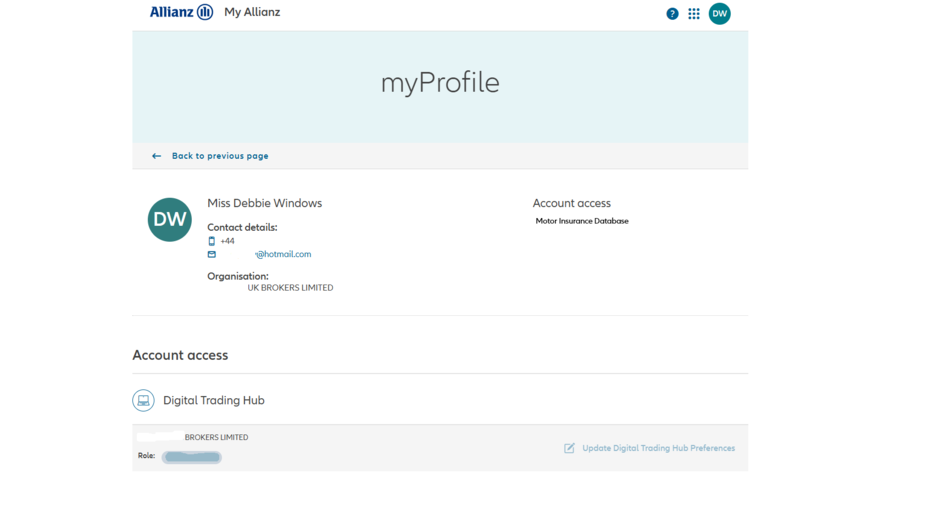
To check your details and which digital tools you have access to: 

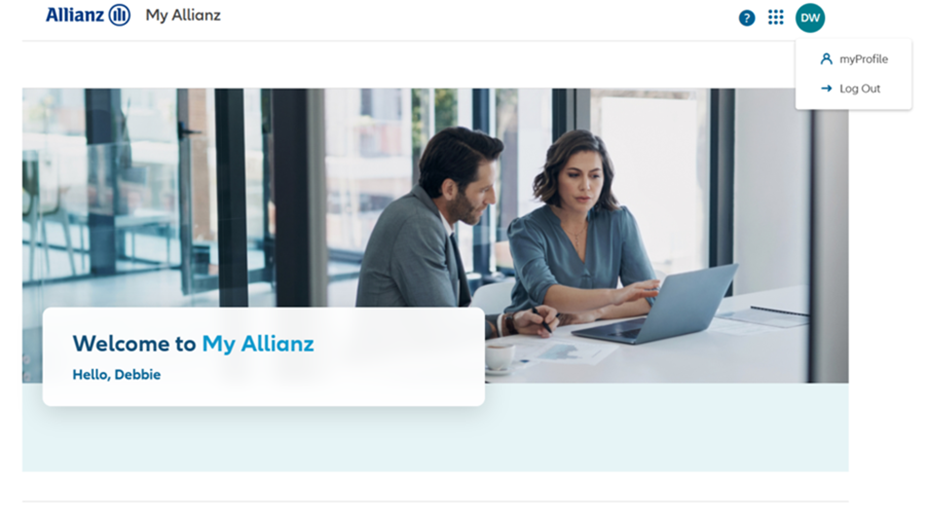
  1. Click on the circle in the top right-hand corner of the page.
  2. Choose myProfile.
Screenshot from my Allianz of where myProfile can be selected

You’ll then be taken to your myProfile dashboard.

Screenshot from my Allianz of where myProfile can be selected

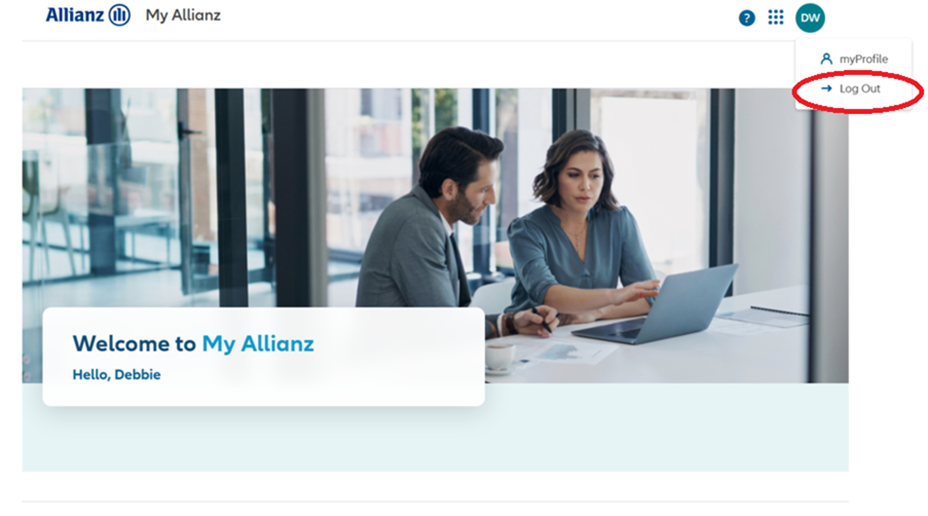
To log out:

  1. Click on the circle in the top right-hand corner of the page.
  2. Choose Log Out.

Screenshot from my Allianz of where myProfile and log out can be selected