
An Allianz Online policy is online-only, which means you manage it yourself in your account.
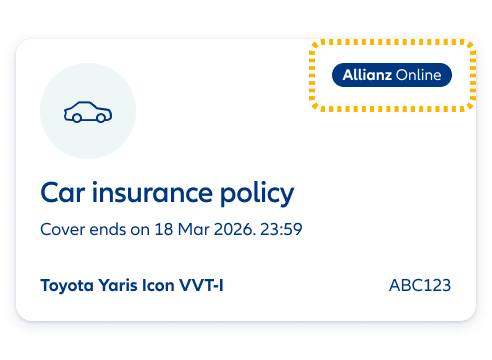
Not sure which policy you have? The car insurance tile in your Allianz account will have an ‘Allianz Online’ badge in the top right.


An Allianz Online policy is online-only, which means you manage it yourself in your account.
Not sure which policy you have? The car insurance tile in your Allianz account will have an ‘Allianz Online’ badge in the top right.
Your policy number will start with FL.
About a month before your renewal date, we'll email to let you know:
We'll ask you to log in to your account to check your new insurance documents and make sure everything's correct.
If the cover's not right for you or something needs updating (payment card, named drivers, mileage, optional extras...) select 'your renewal, make changes' in your account. Remember, making a change can also change your price.
You can check if you're on an automatic renewal by logging in to your Allianz account:
Here’s how to switch off automatic renewal in your Allianz account:
If the option to renew automatically isn't selected, then you don't need to do anything – your policy’s not set to auto renew.
Our other type of policy is simply called Allianz – it comes with call centre support and the ability to do certain things online.
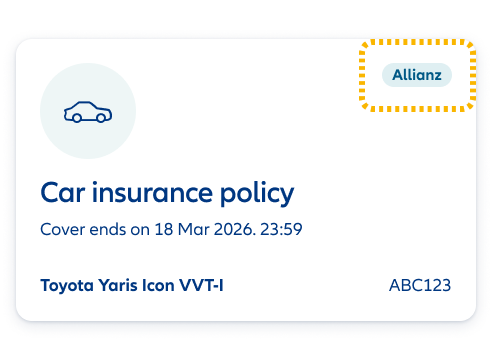
Not sure which policy you have? The car insurance tile in your Allianz account will have an ‘Allianz’ badge in the top right.
Your policy number will start with a 2 or 3. These were LV= policies before March 2026.
About a month before your renewal date, we'll send you a renewal pack with:
We'll ask you to check your new insurance documents and make sure everything's correct.
If your policy is due to renew automatically, it will show on your renewal letter.
You can change how you pay at any time – up to 4 working days before your renewal date.
If you’d like to opt out of automatic renewal, please open the section below.
We know things change, so it’s easy to switch off automatic renewal – and completely free.
There are two ways to cancel, depending on how close you are to your renewal date:
You can opt out of auto renew up until 4 working days before your renewal date.
You’ll be taken to our renewals application where you can access your policy using the policy number.
If you see reference to ‘payment’ – don’t worry. This is just the first step… you won’t pay anything to cancel your renewal.
You can cancel your renewal by speaking to us on Live Chat. If we're available, you'll see a chat button in the bottom right corner of the screen. Give it a click and we'll get started.
If we're not available to chat, simply fill out this form to cancel your renewal and we’ll do the rest!



Voted ‘best motor insurance provider’ at the Insurance choice awards 2023.
A Which? Recommended Provider for car insurance for 10 years running.
You can always be sure you’ll get our best price. First time. Every time.
This means we can’t respond to queries about price matching or reducing your renewal – but we recommend checking your cover levels are still fit for your needs to help you manage the price.
Loyalty matters
When you renew, we also make sure you pay the same or less than a new customer with like-for-like cover from us.
You'll find proof of your no claim discount (NCD) in your renewal pack. Allianz Online customers can view and download this in your online account 30 days before your renewal date. Allianz customers will have recieved your renewal pack by post or email.
If you cancel mid-term, your NCD will be shared with you on your cancellation document.
Yes – once you’ve built up 4 years of no claims, you'll be able to protect your no claim discount (NCD) by adding our optional cover.
The more NCD years you build up, the more you save on your car insurance. Once protected, you’ll keep your discount, year after year, even if you make a claim.
Find out more about our Allianz Online and Allianz optional extras.